

About:
Grounding Garden is a collection of meditative calendars, prompted journals, and an app focused on helping individuals alleviate feelings of stress by guiding users through nature-themed mindfulness and grounding exercises. Along with the written prompts and meditations featured in the journal, another way Grounding Garden helps alleviate stress from the business of modern life is by teaching users about native plants and when they bloom.
While Grounding Garden focuses on native plants to help educate users about just some of the plants that support the ecosystem here in North Carolina, the techniques that are utilized in the grounding exercise can be used anywhere. It could be the plants in your office, the trees outside the window, or even the flowers and plants in your garden at home.le things in the natural world around them.
Skills: Adobe Photoshop / Adobe Dimension / Adobe Illustrator / Adobe InDesign


Work Process
The biggest part of this design project was the flower design and research (research document here). I wanted to choose native NC wildflowers, as I wanted to focus on flowers that are common and likely to be seen within the state. While I could've just done more general garden flowers and plants, I wanted to take the opportunity to educate people while giving them an opportunity to reflect, to help encourage users to take a more careful look around them, while grounding themselves.
In the end, 24 flowers were chosen, though the app and the calendar only have 12. Each was sketched out and then digitally painted to resemble a watercolor style to help give the book a bit of a "handcrafted with care" air to the design.


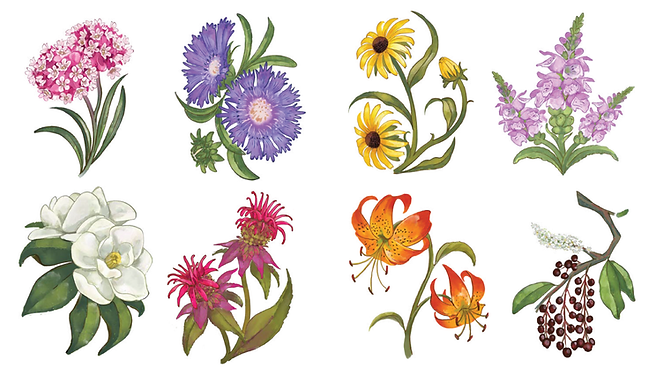
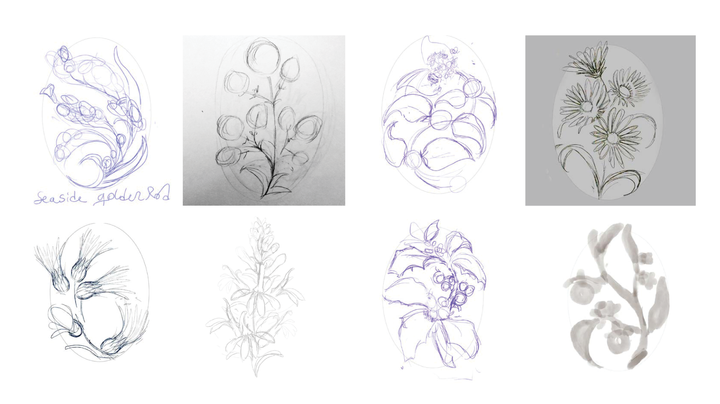

The second Biggest part was the app design, which, since it was going to be on exhibition, required a particularly complicated Adobe XD wireframe that included duplicate pages with only slight changes between them so that the XD prototype would truly have depth to its interactions.


While it looks like an absolute mess, it can be broken down into logical sections

Section 1: Login and Overlays

Sector 2: Home and Daily Prompts

Sector 3: Flower Info and Monthly Meditations

Sector 5: Journal Interactions
Section 4: Daily Prompt Interactions


Sector 6: Calendar, user profile, and Gallery
The intricate wireframe of the app prototype may seem intimidating at first, but the overlapping lines ensure smooth navigation between pages for users as they make their way through the app.
If you wish to test the app yourself you can go here for more